
Seedance 1.5 Pro AI Video Generator

Explore Seedance 1.5 Pro examples for handheld scenes, aerial movement, coastal motion, and close-ups. This exact edition is not yet enabled in Everygen AI.

Seedance Text to Video Video Examples Prompt Control
AI ImageAI Video
0/2000
More creative powerSAVE UP TO 67%Choose annual billing for more image and video credits.Explore plans

Seedance 1.5 Pro Ideas in Motion

Move from a nighttime festival to a sandstone canyon, watch waves break against dark rock, and study the movement in a leopard close-up.

A Closer Look at Seedance 1.5 Pro

These examples connect visible performance, material detail, changing subjects, and camera direction. They illustrate visual ideas without adding audio or endpoint controls to our tool.

Observe Natural Speaking Gestures

Observe Natural Speaking Gestures

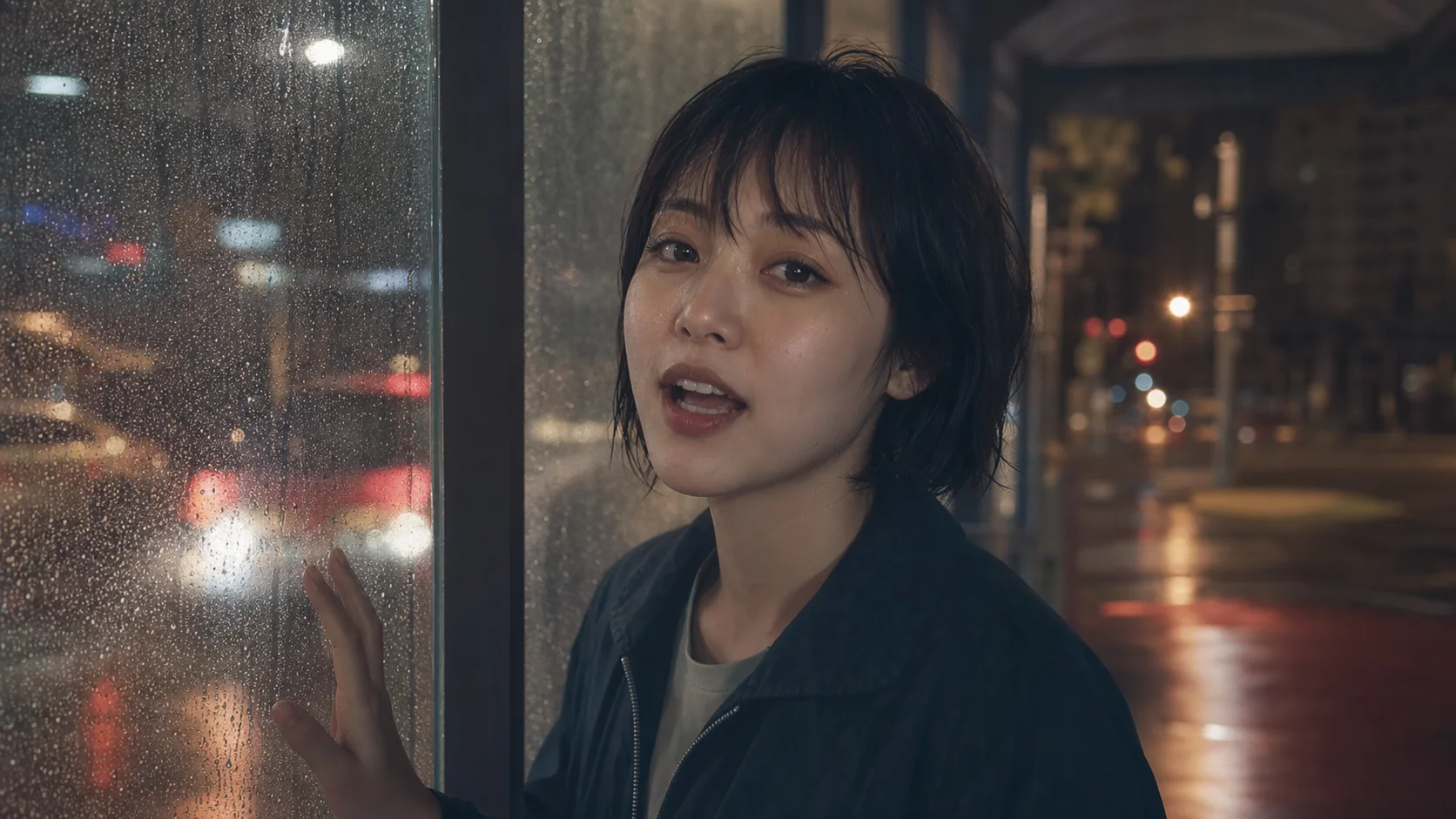
The rainy-window scene puts a face, a small hand gesture, and environmental movement in the same frame. Describe each visible action with a clear order and keep the face unobstructed. The current tool has no dialogue or lip-sync controls, so these examples are visual studies.


Use Light to Reveal Surface Detail

Use Light to Reveal Surface Detail

The watch close-up directs attention to skin, brushed metal, glass, and fabric. A simple camera move and soft light help make these details visible. Review the output rather than assuming a resolution label alone will guarantee accurate fine texture or product geometry.

Describe a Beginning and an Ending

Describe a Beginning and an Ending

The paper-crane example is built around a clearly defined visual change. Describe the starting subject, the transformation, and the final pose in text. This page does not expose first-and-last-frame upload controls, so a written endpoint is a creative instruction rather than a locked frame.

Give the Camera a Clear Route

Give the Camera a Clear Route

The garage scene uses a low viewpoint, reflected light, and an orbiting camera to reveal the car. State where the camera begins, how it travels, and where it stops. Connecting these instructions to one subject keeps the prompt easier to evaluate.

Pricing

Choose Your Plan

Create images, edit references, and generate videos with one credit balance. Buy credits when you need them, or subscribe for a monthly allowance.

Need a few more credits?

One payment, no recurring subscription. Use these credits across image and video tools; credit packs do not expire.

One video

Pay once. No subscription.

10 credits

$9.90

One generation with eligible video settings

  • ✓ Never expires

Duo Pack

41%

A small top-up for your next creation.

50 credits

$29.00

Up to 25 basic clips (5s, 480P)

Up to 12 images with lower-cost settings

  • ✓ Never expires
Most Popular

Crew Pack

71%

Keep exploring images and short videos.

350 credits

$99.00

Up to 175 basic clips (5s, 480P)

Up to 87 images with lower-cost settings

  • ✓ Never expires

Studio Pack

78%

Extra credits for a series of creative projects.

900 credits

$199.00

Up to 450 basic clips (5s, 480P)

Up to 225 images with lower-cost settings

  • ✓ Never expires

Label Pack

83%

A larger reserve for ongoing production.

3000 credits

$499.00

Up to 1500 basic clips (5s, 480P)

Up to 750 images with lower-cost settings

  • ✓ Never expires

Create every month

Choose monthly billing or pay annually. Credits arrive each month, and the generator shows the cost for your selected model before you start.

Most Popular

Basic

A monthly allowance for ideas, edits, and occasional videos.

34 credits / month

$8.33mo

Up to 17 basic clips/month (5s, 480P)

Up to 8 images with lower-cost settings

Billed annually at $100.00

  • ✓ Access to supported image and video models
  • ✓ Download your generated images and videos
  • ✓ Use prompts and reference images

Pro

More room for regular image and video projects.

334 credits / month

$41.67mo

Up to 167 basic clips/month (5s, 480P)

Up to 83 images with lower-cost settings

Billed annually at $500.00

  • ✓ Access to supported image and video models
  • ✓ Download your generated images and videos
  • ✓ Credits work across image and video tools

Studio

A larger allowance for frequent creation and higher-cost models.

500 credits / month

$50.00mo

Up to 250 basic clips/month (5s, 480P)

Up to 125 images with lower-cost settings

Billed annually at $600.00

  • ✓ Access to supported image and video models
  • ✓ Download your generated images and videos
  • ✓ Credits work across image and video tools

Payments are handled by our payment providers. We do not store full card numbers.

Prices are listed in USD. Confirm the payment method, currency, and final amount at checkout.

Image credit usage

Credits for one image at the selected resolution, using the same prices as the generator. Editing may add reference-image credits; review the final quote before you generate.

Model1K2K4K
GPT Image 2.5 Sunburst305080
Nano Banana 2.1203060
Seedream 5 Pro714—
GPT Image 2.5 Flare203555

Video credit usage

Text-to-video examples at the duration shown, using the same quote as submission. Higher resolutions, longer clips, or image-to-video settings can cost more. A dash means this combination is unavailable.

ModelDuration480P540P720P768P1080P2K4K
Seedance 2.55s20—40—60—200
Veo 3.18s——80—100—200
Kling 3.05s——15—20—50
MiniMax H35s10——10———

Seedance 1.5 Pro: Your Questions Answered

Find practical answers about Seedance 1.5 Pro, the examples on this page, and the generation options currently offered by Everygen AI.

What does this Seedance 1.5 Pro page show?

It presents visual examples and prompt directions for Seedance 1.5 Pro. This exact edition is not enabled for generation in Everygen AI yet. Seedance 1.5 Pro Fast is a different menu entry and will not replace it automatically.

Which durations and quality settings are available?

There are no active settings for this exact edition here yet. When you choose an available model, the toolbar lists its supported combinations. The source's ranges do not define our integration.

How much do silent videos cost?

There is no silent-mode selector or active quote for this edition. For supported models, the current quote beside Generate determines the credit requirement. We do not import the source's audio-off rates.

How much do videos with audio cost?

The page has no audio switch or separate audio-on price. The exact Seedance 1.5 Pro edition remains unavailable; choosing another model shows that model's own quote.

Can I quote a four-second high-quality clip?

Only an active supported parameter combination can produce a quote. This edition is not open here, so no cost is shown for it. Do not infer a price from the reference site's example calculation.

Can the shared tool work from text alone?

Yes, for an available model. This page uses text-to-video, so write the subject, action, scene, and camera direction directly. An image is not required for that workflow.

Can I upload first and last frames?

This text-to-video page does not provide first-and-last-frame inputs. Supported image-based tasks are handled by the separate Image to Video tool, whose actual controls define the available workflow.

How should I describe a speaking character?

Explain the posture, facial expression, framing, and visible hand movement. Keep the face clear and the action simple. The current tool does not guarantee dialogue, speech timing, or lip synchronization.

What concepts fit these examples?

Use them for character moments, travel sequences, coastal studies, product reveals, and mood boards. Treat them as visual references and choose an explicitly available model when you want to generate your own clip.

Turn an Example into Your Next Idea

Explore available video models